
Game priorities and profiles
Search the catalog by name, group games into priority and exclusion lists, and save profiles to switch between them.
Windows · Open source
Find campaigns, prioritize the games you follow, and check your reward progress in one place.
Free · Portable ZIP · Release notes
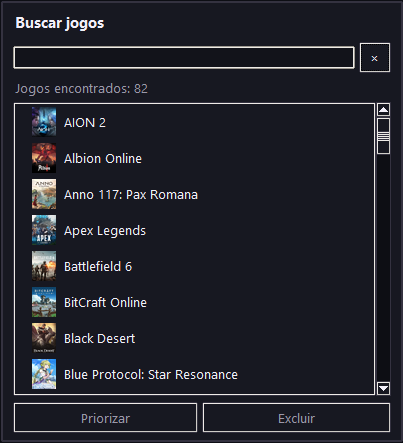
Search the catalog by name, group games into priority and exclusion lists, and save profiles to switch between them.
Compare your remaining progress time with each reward's availability window. Export agenda dates in iCalendar format.
The Mini HUD shows reward progress and estimated time remaining. Switch to compact mode to save screen space.
View confirmed rewards in the local achievement journal, filter by date, and export your history as CSV.
DropForge.exe and use Settings → Twitch Account to sign in through your browser.